Rootly - The Gardening App
Building Gardening App Identity to Digital Experience Design.
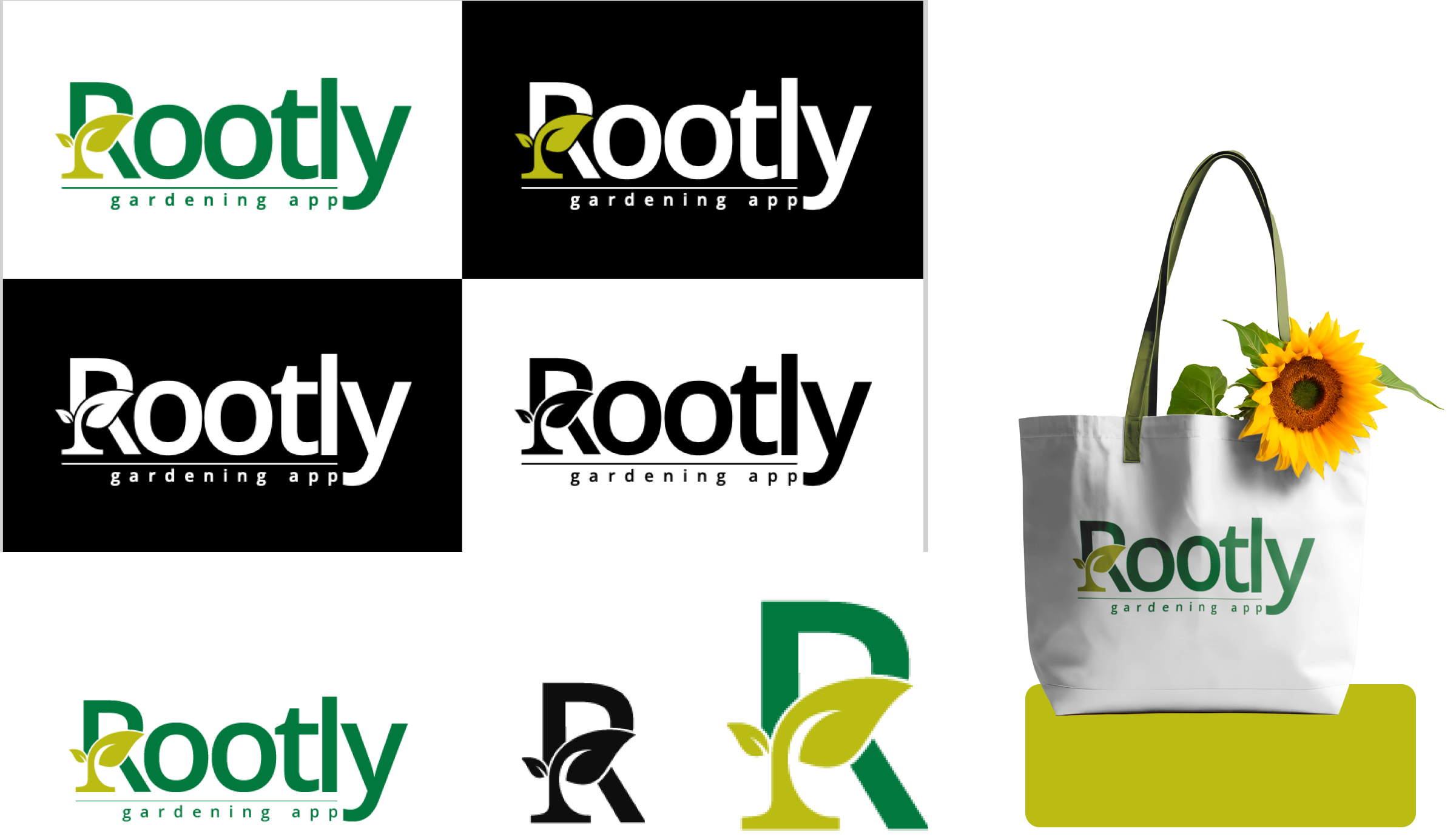
A gardening app brand identity crafted to reflect simplicity, sustainability, and community connection through clean, intuitive, and nature inspired design.
Project Brief
Rootly approached us to design a brand identity and app interface to help urban gardeners grow with confidence. They needed a nature-inspired solution that simplified plant care and felt trustworthy, user-friendly, and credible, both visually and functionally.
The Challenge
Urban gardeners lacked time, tools, and trust. They struggled with unclear advice and poor app interfaces that didn’t support real-world care needs.
Our Approach
Research:
Conducted user interviews to uncover key pain points like lack of plant care knowledge, product confusion, and limited expert access.
Strategy:
Focused on credibility-first positioning by incorporating expert reviews, visual cues of trust, and user-generated transparency.
Execution:
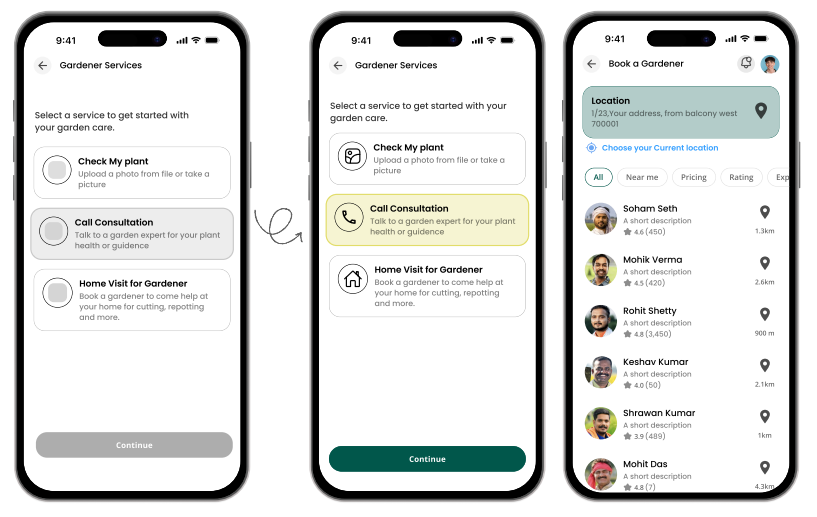
Delivered a complete brand and product ecosystem — photo ID for plants, expert consultations, e-commerce with filters, and rated gardener profiles.
The Problem
Urban home gardeners, especially busy working individuals, often struggle to maintain healthy plants due to limited time, lack of expert guidance, and difficulty accessing the right tools or fertilizers. Without proper care routines, pest control knowledge, and organized garden management, plants fail to leading to frustration and reduced motivation.
The Solution
We delivered a clean, nature inspired brand identity and intuitive UI design for the gardening app. Beyond the brief, we introduced photo clicking for plant identification and a community feature, making the experience engaging, educational, and eco conscious.
The Problem
Urban home gardeners, especially busy working individuals, often struggle to maintain healthy plants due to limited time, lack of expert guidance, and difficulty accessing the right tools or fertilizers. Without proper care routines, pest control knowledge, and organized garden management, plants fail to leading to frustration and reduced motivation.
The Solution
We delivered a clean, nature inspired brand identity and intuitive UI design for the gardening app. Beyond the brief, we introduced photo clicking for plant identification and a community feature, making the experience engaging, educational, and eco conscious.
Visual Design
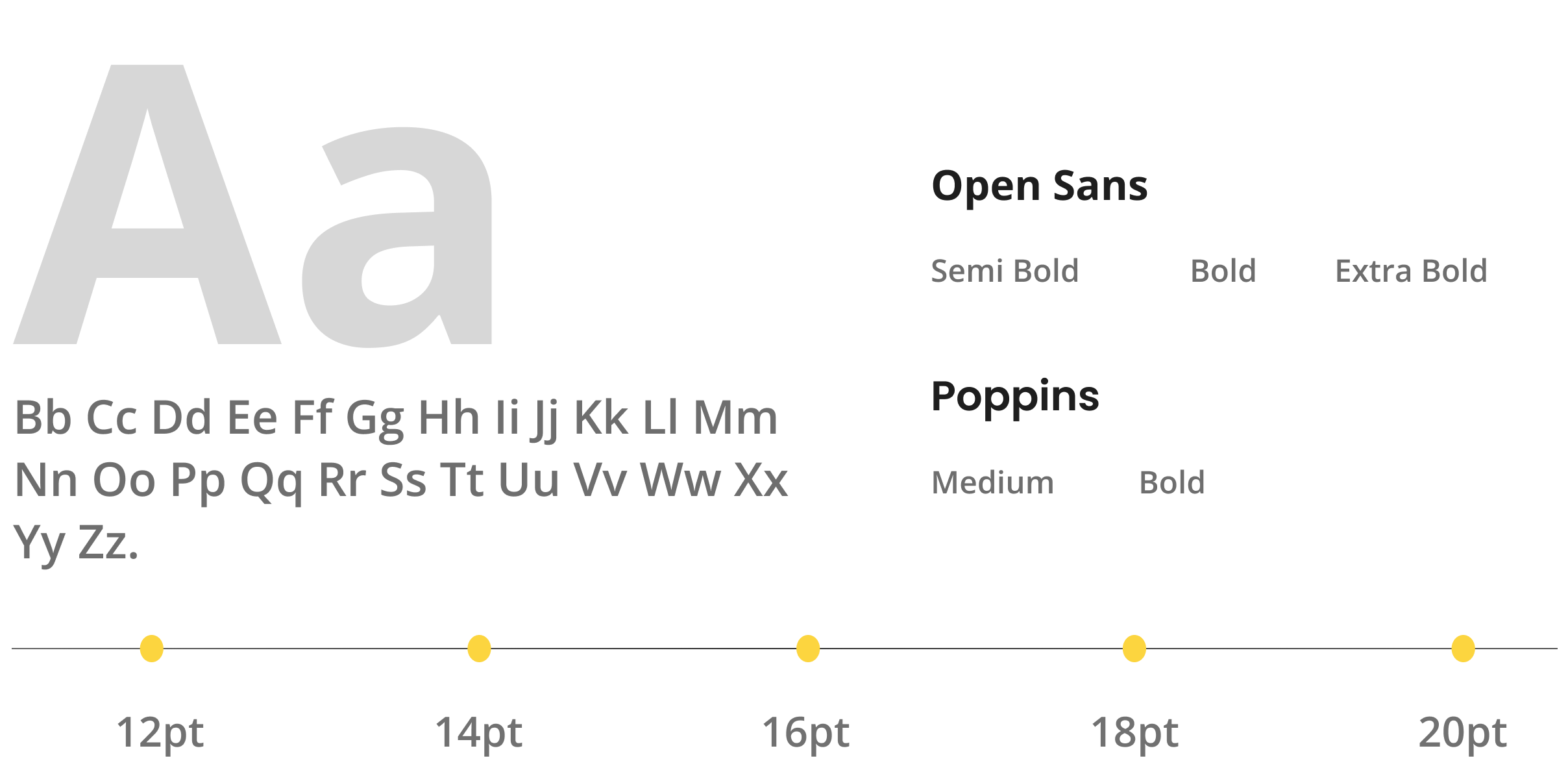
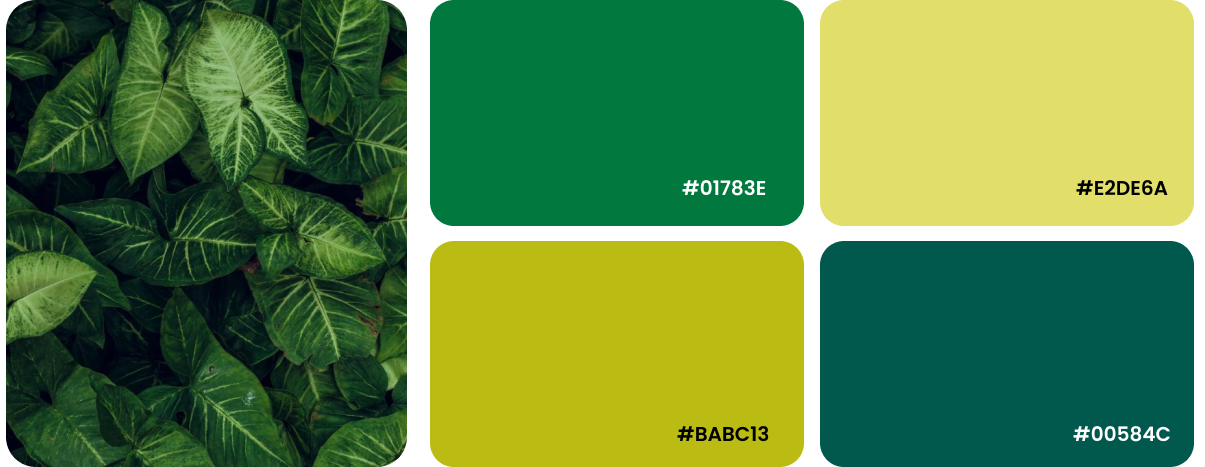
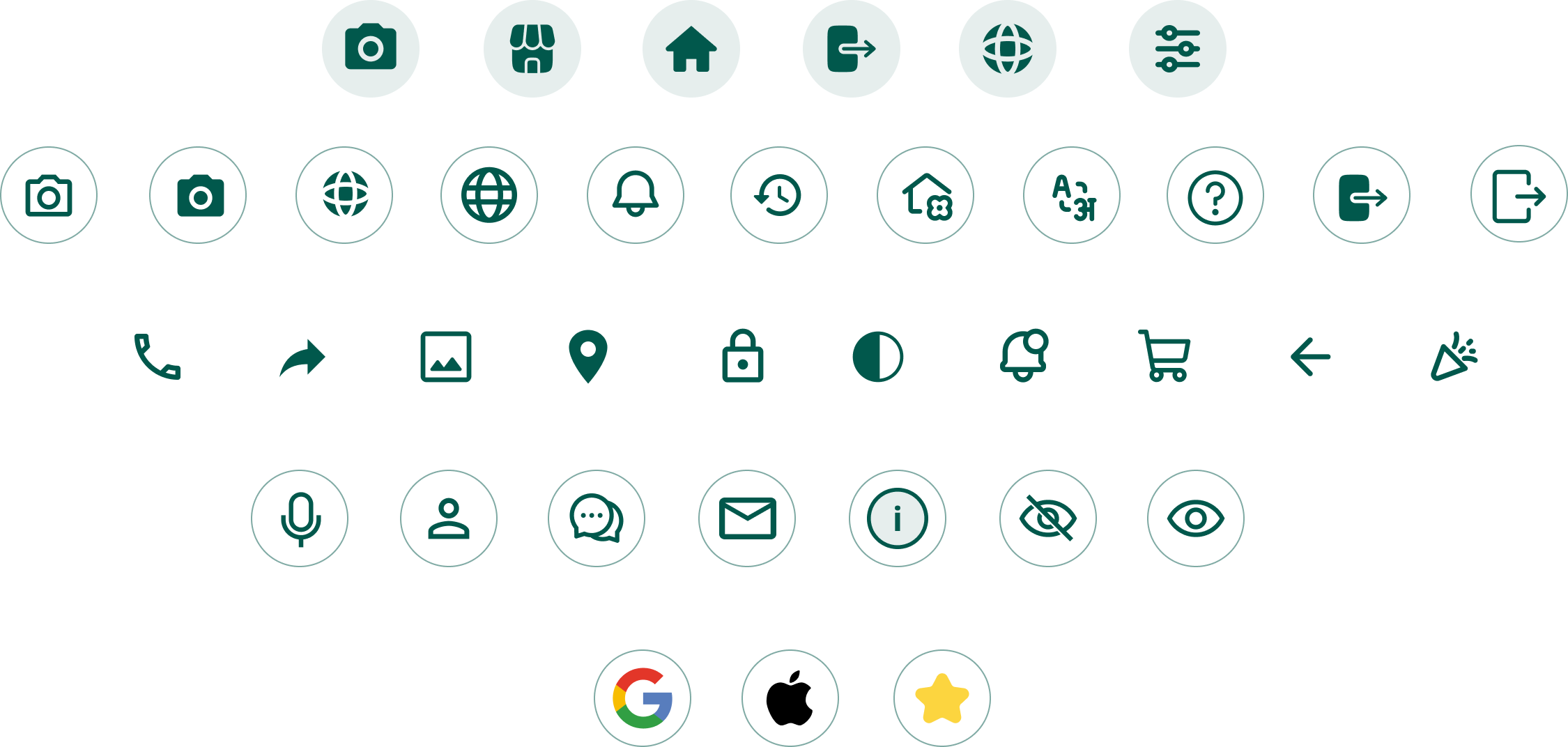
Visual design focuses on aesthetics color, typography, layout, and imagery. It enhances usability, builds trust, and creates emotional connection, making the experience more engaging, appealing, and memorable for users.
Typography
Color Pallets
Iconography
Spacing System
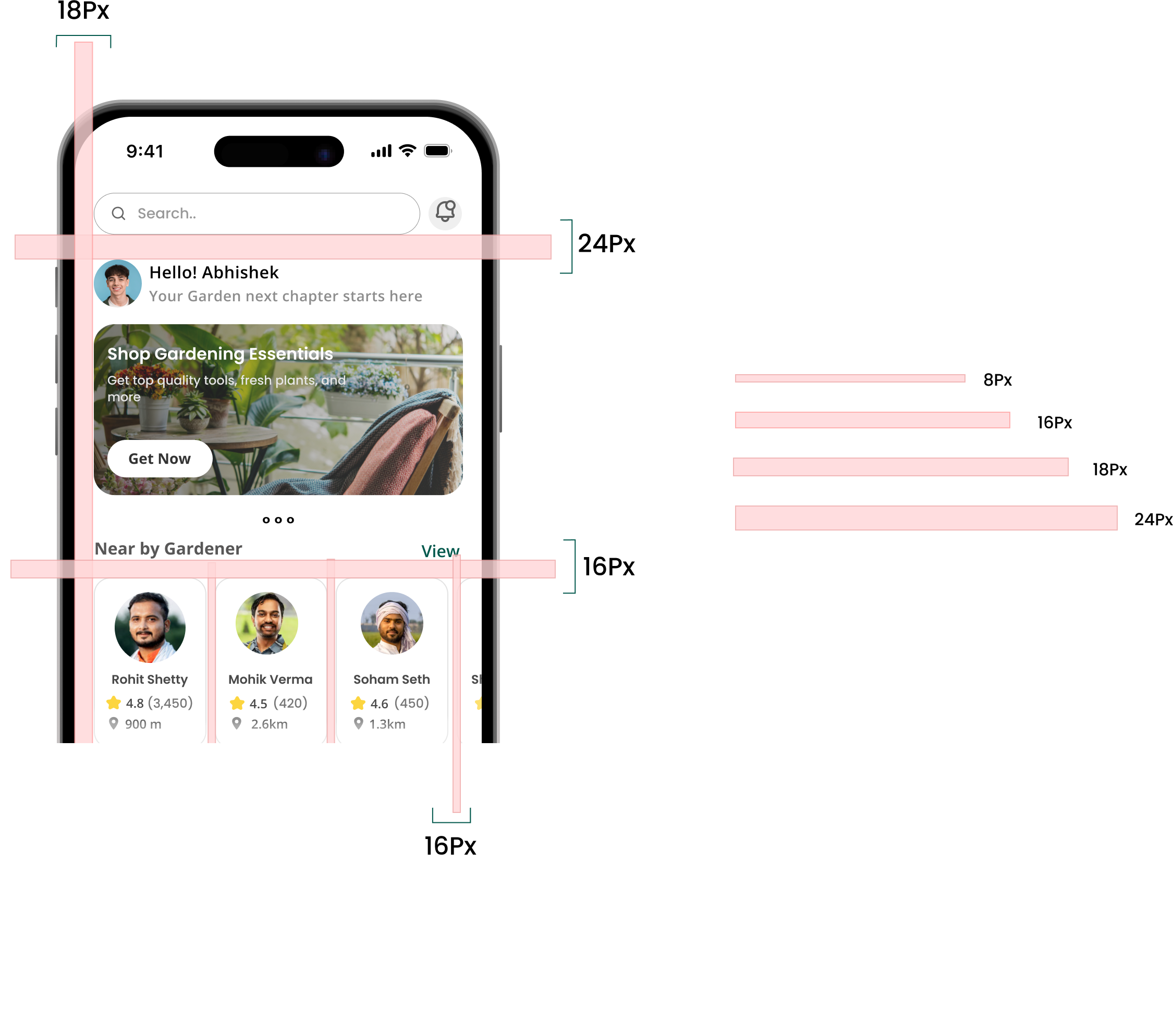
A UI spacing style guide ensures elements are separated evenly for clarity and balance, usually using a grid system like 8px or 16px steps improving readability, consistency, and easy navigation for users.
Low-fi to UI Design
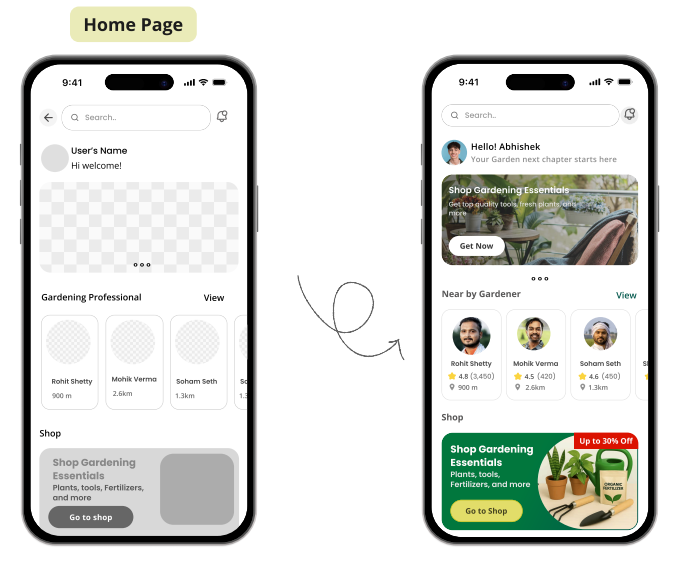
Visual design focuses on aesthetics color, typography, layout, and imagery. It enhances usability, builds trust, and creates emotional connection, making the experience more engaging, appealing, and memorable for users.
Key Points
- Added hero banner with gardening offers and seasonal highlights to improve user engagement.
- Replaced plain placeholders with visual categories (shop, tools, plants) for intuitive navigation.
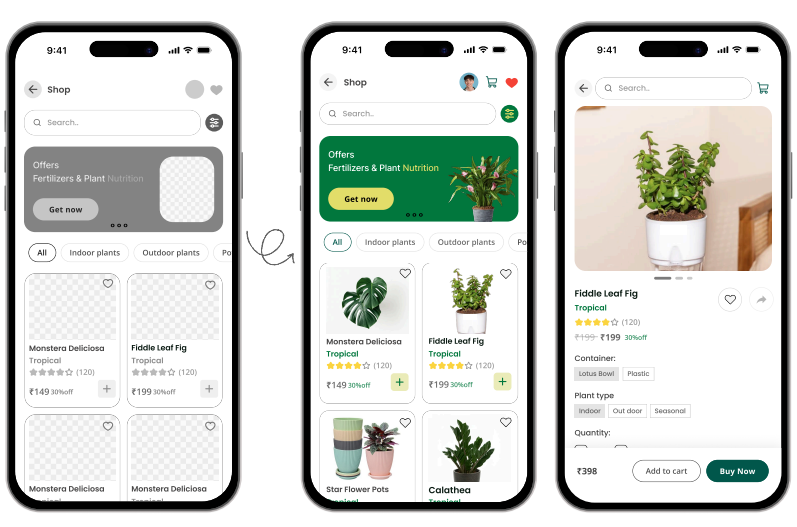
Key Points
- Designed product grid with price, and add-to-cart button for quick decision-making.
- Added filters (indoor, outdoor, seasonal) to simplify search and improve UX.